拒絕無聊的亂數!用「重力」與「碰撞」來決定天選之人
身為物理老師,我認為連「抽籤」這麼簡單的小事,都應該要有物理學的靈魂。
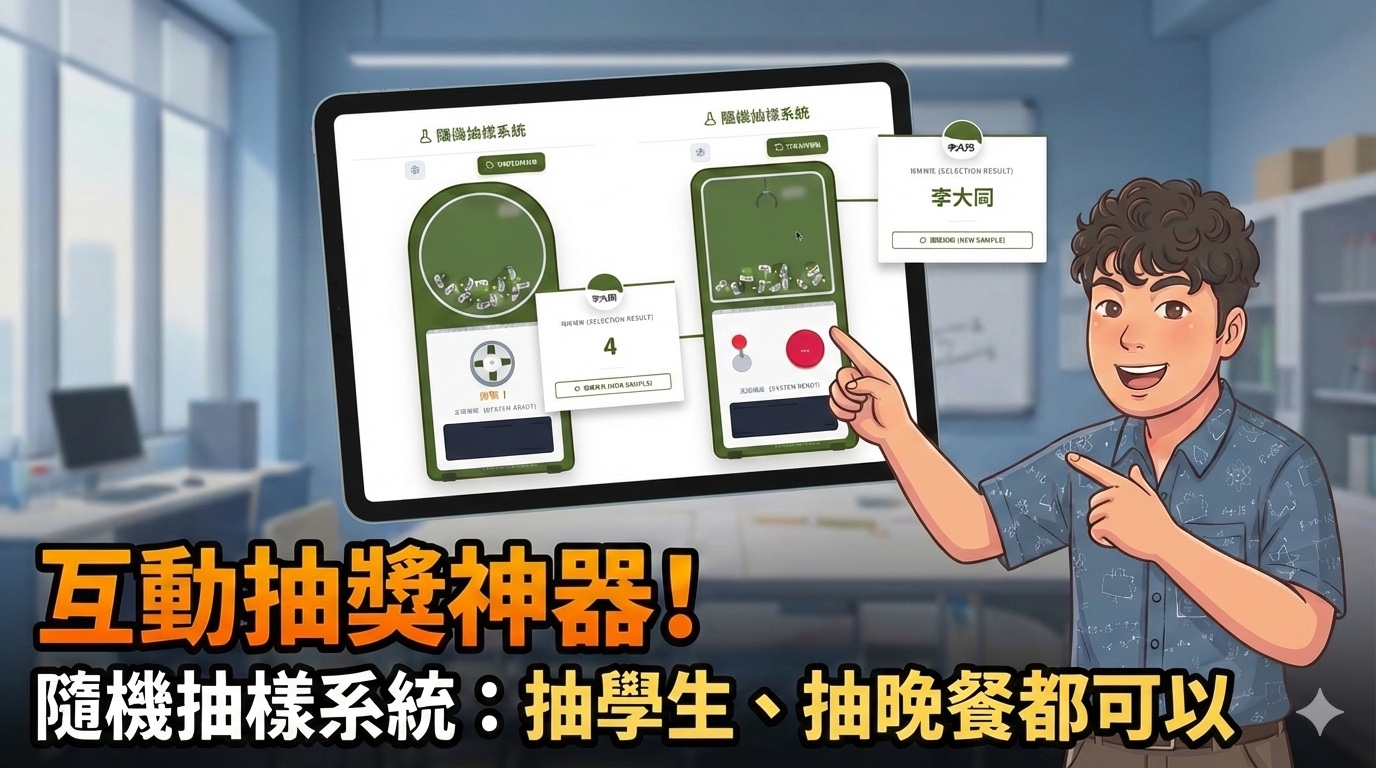
你是否厭倦了課堂上那冷冰冰的竹籤,或是配色奇怪的轉盤網頁?身為物理老師,我認為連「抽籤」這麼簡單的小事,都應該要有物理學的靈魂。
⚙️ 物理引擎 × 班級經營
這款「互動抽獎神器」結合了學生最愛的「扭蛋機」與「夾娃娃機」模式。最特別的是,它內建了即時物理運算演算法。
每一顆球的滾動、彈跳、下墜,都不是預錄好的動畫,而是程式碼在每一個畫面(約每秒 60 次)中即時計算 重力(Gravity) 與 摩擦力(Friction) 的結果。
🔬 這個模擬器的物理原理
- 每個畫面對所有球疊加 重力加速度(
vy += 0.4),模擬地球引力。 - 碰到邊界時利用法向量反射(
v' = v - 2(v·n)n)計算彈跳方向。 - 疊加速度衰減係數(
vx *= 0.96)模擬空氣與摩擦阻力。 - 球與球之間執行圓形碰撞偵測與碰撞響應,計算動量傳遞與位移修正。
- 扭蛋模式:球在圓形邊界內做物理碰撞,激發時加入隨機擾動力。
- 夾娃娃機模式:爪子依序完成「移動 → 下降 → 夾取 → 上升 → 歸位」狀態機。
🎮 立即試玩
👇👇 現在就來試試這款「最科學」的抽籤系統吧!👇👇
💡 點擊旋鈕抽籤;右側面板可輸入名單,或切換「夾娃娃機」模式
🤖 AI 賦能,開源分享
這套系統是我與 AI(Gemini)協作開發的成果,完全使用 HTML5 Canvas 原生語法,沒有依賴任何龐大的外部引擎——所有物理計算、動畫繪製、UI 互動,全部濃縮在一個 HTML 檔案裡。
程式碼完整開源在下方,你可以直接複製這個 HTML 檔案儲存到自己的電腦,用瀏覽器打開就能用。或是把程式碼丟給 AI,請它幫你改成喜歡的顏色、造型,甚至加入自訂的班級名稱!
🔓 完整開源程式碼
以下是完整的物理抽籤系統原始碼,點擊右上角「複製」即可一鍵複製全部程式碼。
<!DOCTYPE html>
<html lang="zh-TW">
<head>
<meta charset="UTF-8">
<meta name="viewport" content="width=device-width, initial-scale=1.0">
<title>雙型態抽籤系統</title>
<!-- 引入 Tailwind CSS 與 Lucide Icons -->
<script src="https://cdn.tailwindcss.com"></script>
<script src="https://unpkg.com/lucide@latest"></script>
<style>
@import url('https://fonts.googleapis.com/css2?family=Noto+Sans+TC:wght@400;500;700&display=swap');
:root {
--brand-primary: #657954;
--action-blue: #3B82F6;
--bg-light: #F8FAFC;
--text-main: #1E293B;
--canvas-dark: #111827;
--border-radius-panel: 12px;
--box-shadow-standard: 0 4px 6px -1px rgba(0, 0, 0, 0.1);
--bg-panel: #ffffff;
--border-light: #E2E8F0;
--text-muted: #64748b;
--danger-red: #ef4444;
--warning-amber: #f59e0b;
}
* { box-sizing: border-box; margin: 0; padding: 0; }
html, body {
width: 100%; height: 100%;
font-family: 'Noto Sans TC', sans-serif;
background-color: var(--bg-light); color: var(--text-main);
overflow: hidden;
}
.app-shell { display: flex; width: 100%; height: 100%; flex-direction: row; }
.canvas-container {
flex: 1; position: relative; background-color: #ffffff;
display: flex; flex-direction: column;
}
canvas { display: block; width: 100%; height: 100%; touch-action: none; }
.control-panel {
width: 380px; background-color: var(--bg-panel);
border-left: 1px solid var(--border-light);
box-shadow: -2px 0 10px rgba(0, 0, 0, 0.03);
display: flex; flex-direction: column; z-index: 10;
}
.mobile-toggle {
display: none; justify-content: space-between; align-items: center;
padding: 12px 20px; background-color: var(--brand-primary);
color: #ffffff; font-weight: 700; font-size: 1.1rem;
cursor: pointer; box-shadow: 0 -2px 10px rgba(0, 0, 0, 0.1);
}
.panel-content {
padding: 20px; overflow-y: auto; flex: 1;
display: flex; flex-direction: column; gap: 20px;
}
.panel-header-desktop {
font-size: 1.3rem; font-weight: 700; color: var(--brand-primary);
padding-bottom: 12px; border-bottom: 2px solid var(--brand-primary);
margin-bottom: 5px;
}
.data-display { display: flex; gap: 10px; font-family: monospace; font-size: 0.9rem; flex-wrap: wrap; }
.value-box { background: var(--bg-light); padding: 6px 10px; border-radius: 6px; border: 1px solid var(--border-light); font-weight: 500; }
.value-box span { color: var(--action-blue); font-weight: 700; }
.controls-group { background-color: var(--bg-light); padding: 15px; border-radius: var(--border-radius-panel); border: 1px solid var(--border-light); display: flex; flex-direction: column; gap: 15px; }
.control-row { display: flex; align-items: center; gap: 12px; flex-wrap: wrap; }
.control-row label { min-width: 60px; font-weight: 700; font-size: 0.95rem; }
.slider-container { flex-grow: 1; display: flex; align-items: center; gap: 10px; }
input[type="range"] { flex-grow: 1; height: 6px; border-radius: 5px; background: var(--border-light); outline: none; -webkit-appearance: none; }
input[type="range"]::-webkit-slider-thumb { -webkit-appearance: none; width: 18px; height: 18px; border-radius: 50%; background: var(--brand-primary); cursor: pointer; transition: transform 0.1s; }
input[type="range"]::-webkit-slider-thumb:hover { transform: scale(1.15); }
button { padding: 8px 16px; background-color: var(--brand-primary); color: white; border: none; border-radius: 6px; cursor: pointer; font-weight: 700; font-family: inherit; transition: opacity 0.2s; box-shadow: var(--box-shadow-standard); }
button:hover { opacity: 0.85; }
button.btn-danger { background-color: var(--danger-red); }
.status-row { font-size: 0.95rem; color: var(--text-muted); background: #fff; padding: 10px; border-radius: 8px; border: 1px solid var(--border-light); line-height: 1.6; }
.status-row span { font-weight: 700; }
@media (max-width: 768px) {
.app-shell { flex-direction: column; }
.canvas-container { flex: 1; height: 0; }
.control-panel {
width: 100%; flex: none; border-left: none;
border-top-left-radius: 16px; border-top-right-radius: 16px;
box-shadow: 0 -4px 15px rgba(0, 0, 0, 0.15);
max-height: 65vh; transition: max-height 0.3s cubic-bezier(0.4, 0, 0.2, 1);
}
.control-panel.collapsed { max-height: 52px; }
.mobile-toggle { display: flex; border-top-left-radius: 16px; border-top-right-radius: 16px; }
.panel-header-desktop { display: none; }
}
@keyframes bounce-in {
0% { transform: translateY(-50px) rotate(0deg); opacity: 0; }
60% { transform: translateY(10px) rotate(180deg); opacity: 1; }
80% { transform: translateY(-5px) rotate(200deg); }
100% { transform: translateY(0) rotate(360deg); }
}
@keyframes pop-up {
0% { transform: scale(0.8); opacity: 0; }
100% { transform: scale(1); opacity: 1; }
}
@keyframes fade-in {
0% { opacity: 0; transform: translateY(10px); }
100% { opacity: 1; transform: translateY(0); }
}
.animate-bounce-in { animation: bounce-in 0.6s cubic-bezier(0.34, 1.56, 0.64, 1) forwards; }
.animate-pop-up { animation: pop-up 0.4s cubic-bezier(0.34, 1.56, 0.64, 1) forwards; }
.animate-fade-in { animation: fade-in 0.3s ease-out forwards; }
.hidden-custom { display: none !important; }
::selection { background-color: #556b2f; color: white; }
.machine-shape { transition: all 0.5s cubic-bezier(0.4, 0, 0.2, 1); }
@keyframes joystick-move {
0%, 100% { transform: rotate(0deg); }
25% { transform: rotate(-10deg); }
75% { transform: rotate(10deg); }
}
.joystick-active { animation: joystick-move 0.5s ease-in-out infinite; }
</style>
</head>
<body>
<div class="app-shell">
<!-- 左側畫布區 -->
<div class="canvas-container" id="canvas-wrapper">
<div class="w-full h-full flex items-center justify-center bg-slate-50 relative overflow-y-auto overflow-x-hidden py-8">
<!-- 扭蛋機/抓娃娃機實體 -->
<div id="machine-body" class="machine-shape relative w-[320px] md:w-[360px] rounded-t-[140px] rounded-b-[20px] p-4 shadow-2xl border-[6px] bg-white z-10 shrink-0" style="background-color: #556b2f; border-color: #3e4f21;">
<div id="window-frame" class="machine-shape relative bg-white/10 rounded-full border-[6px] border-[#e2e8f0] overflow-hidden shadow-inner w-full aspect-square mb-4 backdrop-blur-sm">
<div class="absolute top-[10%] right-[15%] w-[20%] h-[10%] bg-white rounded-full opacity-30 blur-sm pointer-events-none z-20"></div>
<canvas id="simCanvas" class="w-full h-full relative z-10"></canvas>
</div>
<div class="bg-[#f8fafc] rounded-xl p-5 shadow-[inset_0_2px_4px_rgba(0,0,0,0.1)] border border-slate-300 flex flex-col items-center gap-2 relative overflow-visible">
<div class="absolute top-0 left-0 w-full h-2 bg-slate-200 flex overflow-hidden rounded-t-xl" id="stripes-container"></div>
<div class="relative mt-4 flex flex-col justify-center items-center w-full h-32">
<div id="gacha-controls" class="flex flex-col items-center">
<button id="btn-gacha-start" class="w-24 h-24 rounded-full bg-[#e2e8f0] shadow-[0_4px_0_#94a3b8] border-[6px] border-slate-400 flex items-center justify-center transition-all duration-700 ease-in-out cursor-pointer active:translate-y-1 active:shadow-none relative z-10 hover:rotate-45 group shrink-0">
<div class="w-4 h-20 rounded-full absolute" style="background-color: #556b2f;"></div>
<div class="w-20 h-4 rounded-full absolute" style="background-color: #556b2f;"></div>
<div class="z-10 bg-slate-100 w-10 h-10 rounded-full shadow-inner border border-slate-300 flex items-center justify-center">
<div class="w-2 h-2 bg-slate-400 rounded-full"></div>
</div>
</button>
<div class="mt-2 text-xl font-black text-amber-600 tracking-widest drop-shadow-sm select-none pointer-events-none">抽取!</div>
</div>
<div id="claw-controls" class="hidden-custom flex items-center justify-between w-full px-4 h-24">
<div class="flex flex-col items-center">
<div id="joystick-head" class="w-8 h-8 bg-red-500 rounded-full shadow-md border-b-4 border-red-700 relative z-20 transition-transform origin-bottom"></div>
<div class="w-2 h-6 bg-slate-400 -mt-1 relative z-10"></div>
<div class="w-10 h-10 bg-slate-300 rounded-full -mt-2 shadow-inner border border-slate-400"></div>
</div>
<button id="btn-claw-action" class="w-20 h-20 rounded-full bg-amber-500 shadow-[0_4px_0_#b45309] border-4 border-amber-600 flex flex-col items-center justify-center active:translate-y-1 active:shadow-none transition group transform hover:scale-105">
<span class="text-white font-black text-lg drop-shadow-md">START</span>
</button>
</div>
</div>
<div id="status-text" class="mt-1 font-mono text-xs font-bold text-slate-400 tracking-widest text-center w-full uppercase h-4">
系統就緒 (SYSTEM READY)
</div>
<div class="w-full h-20 bg-[#2d3748] rounded-md mt-2 relative overflow-hidden flex justify-center items-end pb-3 shadow-inner border-t-4 border-[#1a202c]">
<div class="absolute top-2 w-full flex justify-center">
<div class="w-16 h-1 bg-black/50 rounded-full"></div>
</div>
<div id="dispensed-capsule" class="hidden-custom w-14 h-14 rounded-full shadow-lg border border-white/20 flex flex-col overflow-hidden animate-bounce-in bg-white relative"></div>
</div>
</div>
<div class="absolute -bottom-2 left-6 w-8 h-4 bg-[#2a3818] rounded-b-md"></div>
<div class="absolute -bottom-2 right-6 w-8 h-4 bg-[#2a3818] rounded-b-md"></div>
<div class="absolute bottom-1 w-full text-center text-[10px] text-white/40 font-mono pointer-events-none z-20">© 阿偉的物理 x AI實驗室</div>
</div>
</div>
</div>
<!-- 右側控制面板區 -->
<div class="control-panel collapsed" id="controlPanel">
<div class="mobile-toggle" id="panelToggle">
<span>雙型態抽籤系統</span>
<span id="toggleIcon">▼</span>
</div>
<div class="panel-content">
<div class="panel-header-desktop">雙型態抽籤系統</div>
<div id="dynamic-controls-area">
<button id="btn-switch-mode" class="w-full mb-6 bg-[#556b2f] px-4 py-3 rounded-xl shadow-md hover:shadow-lg hover:bg-[#3e4f21] transition text-white border border-[#3e4f21] flex items-center justify-center gap-2" title="切換模式">
<i id="mode-icon" data-lucide="refresh-ccw" class="w-5 h-5"></i>
<span id="mode-text" class="text-sm font-bold tracking-wide">切換成抓娃娃機</span>
</button>
<div class="controls-group">
<div class="font-bold text-[#556b2f] flex items-center gap-2 mb-2 border-b border-slate-200 pb-2">
<i data-lucide="settings" class="w-5 h-5"></i> 樣本設定
</div>
<div class="flex bg-slate-100 p-1 rounded-lg mb-2">
<button id="btn-mode-names" class="flex-1 flex items-center justify-center gap-2 py-2 text-xs font-bold rounded-md transition-all bg-white shadow text-[#556b2f]">
<i data-lucide="type" class="w-4 h-4"></i> 名單模式
</button>
<button id="btn-mode-numbers" class="flex-1 flex items-center justify-center gap-2 py-2 text-xs font-bold rounded-md transition-all text-slate-500 hover:text-slate-700">
<i data-lucide="hash" class="w-4 h-4"></i> 座號模式
</button>
</div>
<div id="section-names" class="flex flex-col gap-2">
<label class="text-xs font-bold text-slate-400 uppercase tracking-wide">輸入名單 (每行一個):</label>
<textarea id="input-names" class="w-full border border-slate-300 bg-slate-50 rounded-lg p-3 focus:outline-none focus:border-[#556b2f] focus:ring-1 focus:ring-[#556b2f] font-mono text-sm text-slate-700 resize-none shadow-inner h-48">小明 小華 阿昌 美美 大雄 靜香 胖虎 小夫 王小明 李大同 陳小美</textarea>
</div>
<div id="section-numbers" class="hidden-custom flex flex-col gap-4">
<label class="text-xs font-bold text-slate-400 uppercase tracking-wide">設定座號範圍:</label>
<div class="bg-slate-50 p-4 rounded-lg border border-slate-200 shadow-inner flex flex-col gap-4 items-center justify-center">
<div class="flex items-center gap-4 w-full">
<div class="flex-1">
<span class="block text-xs text-slate-500 mb-1 font-mono">開始</span>
<input type="number" id="input-min" value="1" min="1" class="w-full text-center p-2 text-lg font-bold border border-slate-300 rounded focus:border-[#556b2f] focus:outline-none">
</div>
<span class="text-slate-400 font-bold text-xl mt-4">~</span>
<div class="flex-1">
<span class="block text-xs text-slate-500 mb-1 font-mono">結束</span>
<input type="number" id="input-max" value="34" min="1" class="w-full text-center p-2 text-lg font-bold border border-slate-300 rounded focus:border-[#556b2f] focus:outline-none">
</div>
</div>
<p class="text-xs text-slate-400 mt-2 text-center">預計產生 <span id="count-preview" class="font-bold text-[#556b2f]">34</span> 個樣本球</p>
</div>
</div>
<div class="mt-4 flex gap-3 border-t border-slate-100 pt-4">
<div class="flex-1 flex flex-col justify-center">
<span class="text-[10px] text-slate-400 uppercase tracking-wider">目前總數</span>
<span id="total-count-modal" class="font-bold text-lg text-slate-600">11</span>
</div>
<button id="btn-save-settings" class="flex-[2] text-white py-2 rounded-lg font-bold shadow-md hover:shadow-lg transition text-sm tracking-wider uppercase flex items-center justify-center gap-2 active:scale-95" style="background-color: #556b2f;">
<i data-lucide="check" class="w-4 h-4"></i> 儲存並重置
</button>
</div>
</div>
</div>
</div>
</div>
</div>
<!-- 開獎結果 Modal -->
<div id="modal-result" class="hidden-custom fixed inset-0 bg-slate-900/60 backdrop-blur-sm z-50 flex items-center justify-center p-4">
<div class="relative bg-white rounded-sm p-8 max-w-sm w-full text-center shadow-2xl animate-pop-up border-t-4" style="border-color: #556b2f;">
<div class="absolute -top-10 left-1/2 -translate-x-1/2">
<div id="modal-capsule" class="w-24 h-24 rounded-full border-4 border-white shadow-xl flex flex-col overflow-hidden rotate-12 bg-white">
<div class="h-1/2 w-full" id="modal-capsule-top"></div>
<div class="h-1/2 w-full bg-white relative flex justify-center items-center">
<div class="bg-white border border-slate-200 shadow-sm px-2 py-1 rotate-[-12deg] mb-2 min-w-[70%]">
<span id="modal-capsule-text" class="text-xl font-bold text-slate-800"></span>
</div>
</div>
</div>
</div>
<div class="mt-10">
<h2 class="text-xs font-bold text-slate-400 mb-1 tracking-[0.2em] uppercase">抽樣結果 (SELECTION RESULT)</h2>
<div id="modal-winner-name" class="text-5xl font-bold my-6 break-words leading-tight font-mono" style="color: #556b2f;"></div>
<div class="h-px w-16 bg-slate-200 mx-auto mb-6"></div>
<button id="btn-reset" class="w-full border-2 py-2 rounded font-bold hover:bg-slate-50 transition flex items-center justify-center gap-2 text-sm uppercase tracking-wide" style="border-color: #556b2f; color: #556b2f;">
<i data-lucide="refresh-cw" class="w-4 h-4"></i> 重新抽取 (NEW SAMPLE)
</button>
</div>
</div>
</div>
<script id="core-ui-logic">
const panelToggle = document.getElementById('panelToggle');
const controlPanel = document.getElementById('controlPanel');
const toggleIcon = document.getElementById('toggleIcon');
const simCanvas = document.getElementById('simCanvas');
let simWidth = 0, simHeight = 0;
panelToggle.addEventListener('click', () => {
controlPanel.classList.toggle('collapsed');
toggleIcon.innerText = controlPanel.classList.contains('collapsed') ? '▲' : '▼';
setTimeout(resizeCanvas, 300);
});
function resizeCanvas() {
const simRect = simCanvas.parentElement.getBoundingClientRect();
simWidth = simRect.width;
simHeight = simRect.height;
simCanvas.width = simWidth;
simCanvas.height = simHeight;
window.dispatchEvent(new Event('canvasResized'));
}
window.addEventListener('resize', resizeCanvas);
setTimeout(resizeCanvas, 50);
</script>
<script id="physics-logic">
const simCtx = simCanvas.getContext('2d');
const MOSS_GREEN = '#556b2f';
const CAPSULE_COLORS = [
{ top: '#556b2f', bottom: 'rgba(255, 255, 255, 0.25)' },
{ top: '#6b8c42', bottom: 'rgba(255, 255, 255, 0.25)' },
{ top: '#4a5d29', bottom: 'rgba(255, 255, 255, 0.25)' },
];
let state = {
names: ["小明", "小華", "阿昌", "美美", "大雄", "靜香", "胖虎", "小夫", "王小明", "李大同", "陳小美"],
gameMode: 'gacha',
inputType: 'names',
gameState: 'IDLE',
balls: [],
winner: null,
winnerColor: CAPSULE_COLORS[0],
claw: { x: 50, y: 50, state: 'IDLE', gripItem: null, width: 60, height: 40, targetX: 0 }
};
const machineBody = document.getElementById('machine-body');
const windowFrame = document.getElementById('window-frame');
const gachaControls = document.getElementById('gacha-controls');
const btnGachaStart = document.getElementById('btn-gacha-start');
const btnClawAction = document.getElementById('btn-claw-action');
const clawControls = document.getElementById('claw-controls');
const btnSwitchMode = document.getElementById('btn-switch-mode');
const modeIcon = document.getElementById('mode-icon');
const modeText = document.getElementById('mode-text');
const joystickHead = document.getElementById('joystick-head');
const btnReset = document.getElementById('btn-reset');
const btnSaveSettings = document.getElementById('btn-save-settings');
const btnModeNames = document.getElementById('btn-mode-names');
const btnModeNumbers = document.getElementById('btn-mode-numbers');
const sectionNames = document.getElementById('section-names');
const sectionNumbers = document.getElementById('section-numbers');
const inputNames = document.getElementById('input-names');
const inputMin = document.getElementById('input-min');
const inputMax = document.getElementById('input-max');
const countPreview = document.getElementById('count-preview');
const totalCountModal = document.getElementById('total-count-modal');
const statusText = document.getElementById('status-text');
const dispensedCapsule = document.getElementById('dispensed-capsule');
const modalResult = document.getElementById('modal-result');
const modalWinnerName = document.getElementById('modal-winner-name');
const modalCapsuleTop = document.getElementById('modal-capsule-top');
const modalCapsuleText = document.getElementById('modal-capsule-text');
const stripesContainer = document.getElementById('stripes-container');
for(let i=0; i<20; i++) {
const div = document.createElement('div');
div.className = "w-4 h-full bg-slate-300 -skew-x-45 border-r border-slate-100";
stripesContainer.appendChild(div);
}
lucide.createIcons();
btnGachaStart.addEventListener('click', startGacha);
btnClawAction.addEventListener('click', actionClaw);
btnSwitchMode.addEventListener('click', toggleGameMode);
btnReset.addEventListener('click', resetGame);
btnSaveSettings.addEventListener('click', handleUpdateList);
btnModeNames.addEventListener('click', () => setInputType('names'));
btnModeNumbers.addEventListener('click', () => setInputType('numbers'));
inputMin.addEventListener('input', updateCountPreview);
inputMax.addEventListener('input', updateCountPreview);
updateCountPreview();
window.addEventListener('canvasResized', () => { initBalls(); });
function toggleGameMode() {
if(state.gameState !== 'IDLE') return;
state.gameMode = state.gameMode === 'gacha' ? 'claw' : 'gacha';
if(state.gameMode === 'claw') {
machineBody.classList.remove('rounded-t-[140px]');
machineBody.classList.add('rounded-t-[40px]');
windowFrame.classList.remove('rounded-full');
windowFrame.classList.add('rounded-t-[30px]', 'rounded-b-[10px]');
gachaControls.classList.add('hidden-custom');
clawControls.classList.remove('hidden-custom');
modeText.textContent = "切換成扭蛋機";
modeIcon.setAttribute('data-lucide', 'refresh-ccw');
state.claw = { x: 50, y: 40, state: 'IDLE', gripItem: null, width: 60, height: 40, targetX: 0 };
} else {
machineBody.classList.add('rounded-t-[140px]');
machineBody.classList.remove('rounded-t-[40px]');
windowFrame.classList.add('rounded-full');
windowFrame.classList.remove('rounded-t-[30px]', 'rounded-b-[10px]');
gachaControls.classList.remove('hidden-custom');
clawControls.classList.add('hidden-custom');
modeText.textContent = "切換成抓娃娃機";
modeIcon.setAttribute('data-lucide', 'grab');
}
lucide.createIcons();
setTimeout(() => { window.dispatchEvent(new Event('resize')); }, 500);
}
function setInputType(type) {
state.inputType = type;
if(type === 'names') {
sectionNames.classList.remove('hidden-custom');
sectionNumbers.classList.add('hidden-custom');
btnModeNames.classList.add('bg-white', 'shadow', 'text-[#556b2f]');
btnModeNames.classList.remove('text-slate-500');
btnModeNumbers.classList.remove('bg-white', 'shadow', 'text-[#556b2f]');
btnModeNumbers.classList.add('text-slate-500');
} else {
sectionNames.classList.add('hidden-custom');
sectionNumbers.classList.remove('hidden-custom');
btnModeNumbers.classList.add('bg-white', 'shadow', 'text-[#556b2f]');
btnModeNumbers.classList.remove('text-slate-500');
btnModeNames.classList.remove('bg-white', 'shadow', 'text-[#556b2f]');
btnModeNames.classList.add('text-slate-500');
}
}
function updateCountPreview() {
const min = parseInt(inputMin.value) || 0;
const max = parseInt(inputMax.value) || 0;
countPreview.textContent = Math.max(0, max - min + 1);
}
function handleUpdateList() {
let newNames = [];
if(state.inputType === 'names') {
newNames = inputNames.value.split('\n').map(n => n.trim()).filter(n => n.length > 0);
} else {
const min = parseInt(inputMin.value);
const max = parseInt(inputMax.value);
if(isNaN(min) || isNaN(max) || min > max) return alert("範圍錯誤");
if(max - min + 1 > 200) return alert("數量過多 (Max 200)");
for(let i=min; i<=max; i++) newNames.push(i.toString());
}
if(newNames.length > 0) { state.names = newNames; initBalls(); resetGame(); }
else alert("名單為空");
}
function startGacha() {
if(state.gameState !== 'IDLE') return;
if(state.names.length === 0) return alert("樣本槽是空的!");
state.gameState = 'SPINNING';
updateUI();
setTimeout(selectWinner, 2500);
}
function actionClaw() {
if(state.gameState !== 'IDLE') return;
if(state.names.length === 0) return alert("樣本槽是空的!");
state.gameState = 'MOVING';
state.claw.state = 'MOVING_RIGHT';
const minX = 60;
const maxX = simWidth - 60;
state.claw.targetX = minX + Math.random() * (maxX - minX);
const btnText = btnClawAction.querySelector('span');
btnText.textContent = '...';
btnClawAction.classList.replace('bg-amber-500', 'bg-rose-500');
btnClawAction.classList.replace('border-amber-600', 'border-rose-600');
joystickHead.classList.add('joystick-active');
}
function selectWinner() {
const randomIndex = Math.floor(Math.random() * state.names.length);
state.winner = state.names[randomIndex];
state.winnerColor = state.balls[randomIndex % state.balls.length]?.color || CAPSULE_COLORS[0];
state.gameState = 'DROPPING';
updateUI();
setTimeout(() => { state.gameState = 'OPENING'; updateUI(); }, 1000);
}
function resetGame() {
state.gameState = 'IDLE';
state.winner = null;
state.claw.state = 'IDLE';
state.claw.x = 50;
state.claw.y = 40;
state.claw.gripItem = null;
const btnText = btnClawAction.querySelector('span');
btnText.textContent = 'START';
btnClawAction.classList.replace('bg-rose-500', 'bg-amber-500');
btnClawAction.classList.replace('border-rose-600', 'border-amber-600');
updateUI();
if(state.gameMode === 'claw') initBalls();
}
function updateUI() {
let text = "系統就緒 (SYSTEM READY)";
if(state.gameState === 'SPINNING') text = "處理中... (PROCESSING)";
if(state.gameState === 'MOVING') text = "操作中... (OPERATING)";
if(state.gameState === 'DROPPING') text = "派發中... (DISPENSING)";
statusText.textContent = text;
if(state.gameState === 'SPINNING') {
btnGachaStart.classList.add('rotate-[720deg]');
btnGachaStart.classList.remove('hover:rotate-45');
} else {
btnGachaStart.classList.remove('rotate-[720deg]');
btnGachaStart.classList.add('hover:rotate-45');
}
if(state.gameState === 'OPENING') {
dispensedCapsule.classList.remove('hidden-custom');
dispensedCapsule.innerHTML = `
<div class="h-1/2 w-full" style="background-color: ${state.winnerColor.top}"></div>
<div class="h-1/2 w-full bg-white/80 relative flex justify-center items-center">
<div class="absolute top-0 bg-white shadow-sm border border-slate-100 px-1 py-0.5 min-w-[60%] text-center">
<span class="text-[10px] font-bold text-slate-800 block leading-none transform scale-90">${state.winner}</span>
</div>
</div>
`;
modalResult.classList.remove('hidden-custom');
modalWinnerName.textContent = state.winner;
modalCapsuleText.textContent = state.winner;
modalCapsuleTop.style.backgroundColor = state.winnerColor.top;
} else {
dispensedCapsule.classList.add('hidden-custom');
modalResult.classList.add('hidden-custom');
}
totalCountModal.textContent = state.names.length;
}
function initBalls() {
if(!simWidth || !simHeight) return;
const centerX = simWidth / 2;
const centerY = simHeight / 2;
const globeRadius = Math.min(simWidth, simHeight) / 2 - 20;
state.balls = state.names.map((name, index) => {
let x, y;
if (state.gameMode === 'gacha') {
const angle = Math.random() * Math.PI * 2;
const dist = Math.random() * (globeRadius * 0.5);
x = centerX + Math.cos(angle) * dist;
y = centerY + Math.sin(angle) * dist + 20;
} else {
x = 40 + Math.random() * (simWidth - 80);
y = simHeight - 40 - (Math.random() * 100);
}
return {
id: index, x, y, vx: 0, vy: 0, radius: 22,
color: CAPSULE_COLORS[index % CAPSULE_COLORS.length],
rotation: Math.random() * Math.PI * 2, name
};
});
updateUI();
}
function animate() {
if(!simWidth) { requestAnimationFrame(animate); return; }
const width = simWidth, height = simHeight;
const centerX = width / 2, centerY = height / 2;
const globeRadius = Math.min(width, height) / 2 - 20;
simCtx.clearRect(0, 0, width, height);
if (state.gameMode === 'claw') { updateClaw(width, height); drawClaw(simCtx); }
state.balls.forEach(ball => {
if (state.claw.gripItem === ball) {
ball.x = state.claw.x; ball.y = state.claw.y + 20;
ball.vx = 0; ball.vy = 0; ball.rotation += 0.05;
} else {
if (state.gameMode === 'gacha' && state.gameState === "SPINNING") {
ball.vx += (Math.random() - 0.5) * 6;
ball.vy += (Math.random() - 0.5) * 6;
ball.vx += (centerX - ball.x) * 0.02;
ball.vy += (centerY - ball.y) * 0.02;
}
ball.vy += 0.4; ball.vx *= 0.96; ball.vy *= 0.96;
ball.x += ball.vx; ball.y += ball.vy;
ball.rotation += ball.vx * 0.05;
if (state.gameMode === 'gacha') {
const dx = ball.x - centerX, dy = ball.y - centerY;
const dist = Math.sqrt(dx*dx + dy*dy);
if (dist + ball.radius > globeRadius) {
const angle = Math.atan2(dy, dx);
ball.x = centerX + Math.cos(angle) * (globeRadius - ball.radius);
ball.y = centerY + Math.sin(angle) * (globeRadius - ball.radius);
const nx = Math.cos(angle), ny = Math.sin(angle);
const dot = ball.vx * nx + ball.vy * ny;
ball.vx -= 2 * dot * nx; ball.vy -= 2 * dot * ny;
ball.vx *= 0.6; ball.vy *= 0.6;
}
} else {
if (ball.y + ball.radius > height - 10) { ball.y = height - 10 - ball.radius; ball.vy *= -0.4; ball.vx *= 0.8; }
if (ball.x - ball.radius < 10) { ball.x = 10 + ball.radius; ball.vx *= -0.5; }
if (ball.x + ball.radius > width - 10) { ball.x = width - 10 - ball.radius; ball.vx *= -0.5; }
}
}
});
const iterations = 4;
for (let k = 0; k < iterations; k++) {
for (let i = 0; i < state.balls.length; i++) {
for (let j = i + 1; j < state.balls.length; j++) {
const b1 = state.balls[i], b2 = state.balls[j];
if (state.claw.gripItem === b1 || state.claw.gripItem === b2) continue;
const dx = b2.x - b1.x, dy = b2.y - b1.y;
const distSq = dx*dx + dy*dy;
const minDist = b1.radius + b2.radius;
if (distSq < minDist * minDist) {
const dist = Math.sqrt(distSq);
const overlap = minDist - dist;
const tx = (dx / dist) * overlap * 0.5;
const ty = (dy / dist) * overlap * 0.5;
b1.x -= tx; b1.y -= ty; b2.x += tx; b2.y += ty;
const rvx = b2.vx - b1.vx, rvy = b2.vy - b1.vy;
const nx = dx / dist, ny = dy / dist;
const velAlongNormal = rvx * nx + rvy * ny;
if(velAlongNormal < 0) {
const jVal = -(1 + 0.5) * velAlongNormal;
const impulseX = jVal * nx * 0.5, impulseY = jVal * ny * 0.5;
b1.vx -= impulseX; b1.vy -= impulseY;
b2.vx += impulseX; b2.vy += impulseY;
}
}
}
}
}
state.balls.forEach(ball => drawBall(simCtx, ball));
requestAnimationFrame(animate);
}
function updateClaw(width, height) {
const clawStateObj = state.claw;
const speed = 3;
switch (clawStateObj.state) {
case 'MOVING_RIGHT':
clawStateObj.x += speed;
if (clawStateObj.x >= clawStateObj.targetX || clawStateObj.x > width - 50) {
clawStateObj.x = Math.min(clawStateObj.x, width - 50);
clawStateObj.state = 'DROPPING';
joystickHead.classList.remove('joystick-active');
}
break;
case 'DROPPING':
clawStateObj.y += speed;
let hit = false;
if (clawStateObj.y > height - 60) hit = true;
if (!hit) {
for (let b of state.balls) {
const dx = b.x - clawStateObj.x, dy = b.y - (clawStateObj.y + 40);
if (Math.sqrt(dx*dx + dy*dy) < 25) { hit = true; break; }
}
}
if (hit) {
clawStateObj.state = 'GRABBING';
let target = null, minDist = 100;
for (let b of state.balls) {
const dx = b.x - clawStateObj.x, dy = b.y - (clawStateObj.y + 40);
const d = Math.sqrt(dx*dx + dy*dy);
if (d < 30 && d < minDist) { minDist = d; target = b; }
}
if (target) clawStateObj.gripItem = target;
setTimeout(() => clawStateObj.state = 'RISING', 500);
}
break;
case 'RISING':
clawStateObj.y -= speed;
if (clawStateObj.y <= 40) { clawStateObj.y = 40; clawStateObj.state = 'RETURNING'; }
break;
case 'RETURNING':
clawStateObj.x -= speed;
if (clawStateObj.x <= 50) { clawStateObj.x = 50; clawStateObj.state = 'RELEASING'; }
break;
case 'RELEASING':
if (clawStateObj.gripItem) {
state.winner = clawStateObj.gripItem.name;
state.winnerColor = clawStateObj.gripItem.color;
clawStateObj.gripItem = null;
state.gameState = 'OPENING';
updateUI();
} else {
state.gameState = 'IDLE';
clawStateObj.state = 'IDLE';
const btnText = btnClawAction.querySelector('span');
btnText.textContent = 'START';
btnClawAction.classList.replace('bg-rose-500', 'bg-amber-500');
btnClawAction.classList.replace('border-rose-600', 'border-amber-600');
}
break;
}
}
function drawClaw(ctx) {
const { x, y, state: clawState } = state.claw;
const isOpen = (clawState === 'IDLE' || clawState === 'MOVING_RIGHT' || clawState === 'DROPPING' || clawState === 'RELEASING');
ctx.save();
ctx.translate(x, y);
ctx.beginPath();
ctx.moveTo(0, -y);
ctx.lineTo(0, 0);
ctx.strokeStyle = '#333';
ctx.lineWidth = 4;
ctx.stroke();
ctx.fillStyle = '#999';
ctx.fillRect(-15, 0, 30, 10);
ctx.strokeStyle = '#555';
ctx.lineWidth = 6;
ctx.lineCap = 'round';
ctx.beginPath();
ctx.moveTo(-10, 5);
ctx.lineTo(-20 - (isOpen?10:0), 30);
ctx.lineTo(-10 - (isOpen?15:5), 45);
ctx.stroke();
ctx.beginPath();
ctx.moveTo(10, 5);
ctx.lineTo(20 + (isOpen?10:0), 30);
ctx.lineTo(10 + (isOpen?15:5), 45);
ctx.stroke();
ctx.restore();
}
function drawBall(ctx, ball) {
ctx.save();
ctx.translate(ball.x, ball.y);
ctx.rotate(ball.rotation);
ctx.beginPath();
ctx.arc(0, 0, ball.radius, 0, Math.PI * 2);
ctx.clip();
ctx.fillStyle = ball.color.top;
ctx.fillRect(-ball.radius, -ball.radius, ball.radius * 2, ball.radius);
ctx.fillStyle = ball.color.bottom;
ctx.fillRect(-ball.radius, 0, ball.radius * 2, ball.radius);
ctx.save();
ctx.translate(0, ball.radius * 0.5);
ctx.fillStyle = '#ffffff';
ctx.fillRect(-ball.radius * 0.8, -ball.radius * 0.3, ball.radius * 1.6, ball.radius * 0.6);
ctx.fillStyle = '#333';
ctx.textAlign = 'center';
ctx.textBaseline = 'middle';
const isNumber = !isNaN(ball.name);
const fontSize = isNumber ? 12 : (ball.name.length > 3 ? 9 : 11);
ctx.font = `bold ${fontSize}px Arial`;
ctx.fillText(ball.name, 0, 0);
ctx.restore();
ctx.beginPath();
ctx.arc(0, 0, ball.radius, 0, Math.PI * 2);
ctx.strokeStyle = 'rgba(0,0,0,0.15)';
ctx.lineWidth = 1;
ctx.stroke();
ctx.beginPath();
ctx.arc(-ball.radius * 0.4, -ball.radius * 0.4, ball.radius * 0.25, 0, Math.PI * 2);
ctx.fillStyle = 'rgba(255,255,255,0.5)';
ctx.fill();
ctx.restore();
}
requestAnimationFrame(animate);
</script>
</body>
</html>
💡 使用方法:點擊右上角「複製」後,新建一個 .html 檔案並貼上,用瀏覽器打開即可使用。也可以直接丟給 AI 修改顏色、加上班級名稱!
🎯 想了解如何用 AI 製作這樣的工具?
這整個互動系統,是我透過與 Gemini AI 的對話協作完成的,整個過程不需要深厚的程式底子!
如果你也想嘗試自製教學工具,可以先從
四步驟 AI 提示詞教學指南
開始,學會如何透過對話讓 AI 幫你寫出物理動畫。
或是把上方程式碼直接複製給 AI,告訴它「幫我改成藍色主題」、「加入班級名稱顯示」,看看 AI 能幫你做出什麼變化!